
The debate between Excel and dedicated sales rep software comes up regularly among independent sales reps and multi-line sales agents: when does the spreadsheet become an obstacle rather than a tool? The question deserves a concrete, data-driven answer — especially when your time in front of clients is your most precious resource. This article helps you identify the warning signs and make the move at the right moment, without getting lost in theory.
Why your choice of client-tracking tool is a strategic decision
For a multi-line sales agent or independent sales rep, every day in the field is a race against the clock. Managing contacts, follow-ups, commissions, and sales routes in an Excel file may seem sufficient at the start. But as your client portfolio grows, the spreadsheet's complexity increases faster than your turnover.
Client data ends up scattered across multiple versions of the file, paper notes, and unarchived emails (Captain Seller, 2026). Planning your sales routes remains manual, with no route optimisation. And tracking commissions by principal quickly becomes a headache of nested formulas.
The market itself sends a clear signal: in France, CRM software revenue is expected to reach $2.30 billion in 2025 (Market Research Future, 2025). Sales reps who invest in the right tools early gain a head start over competitors still tied to their spreadsheets.
A 5-step method to decide and switch at the right time
Step 1 — Diagnose your warning signs
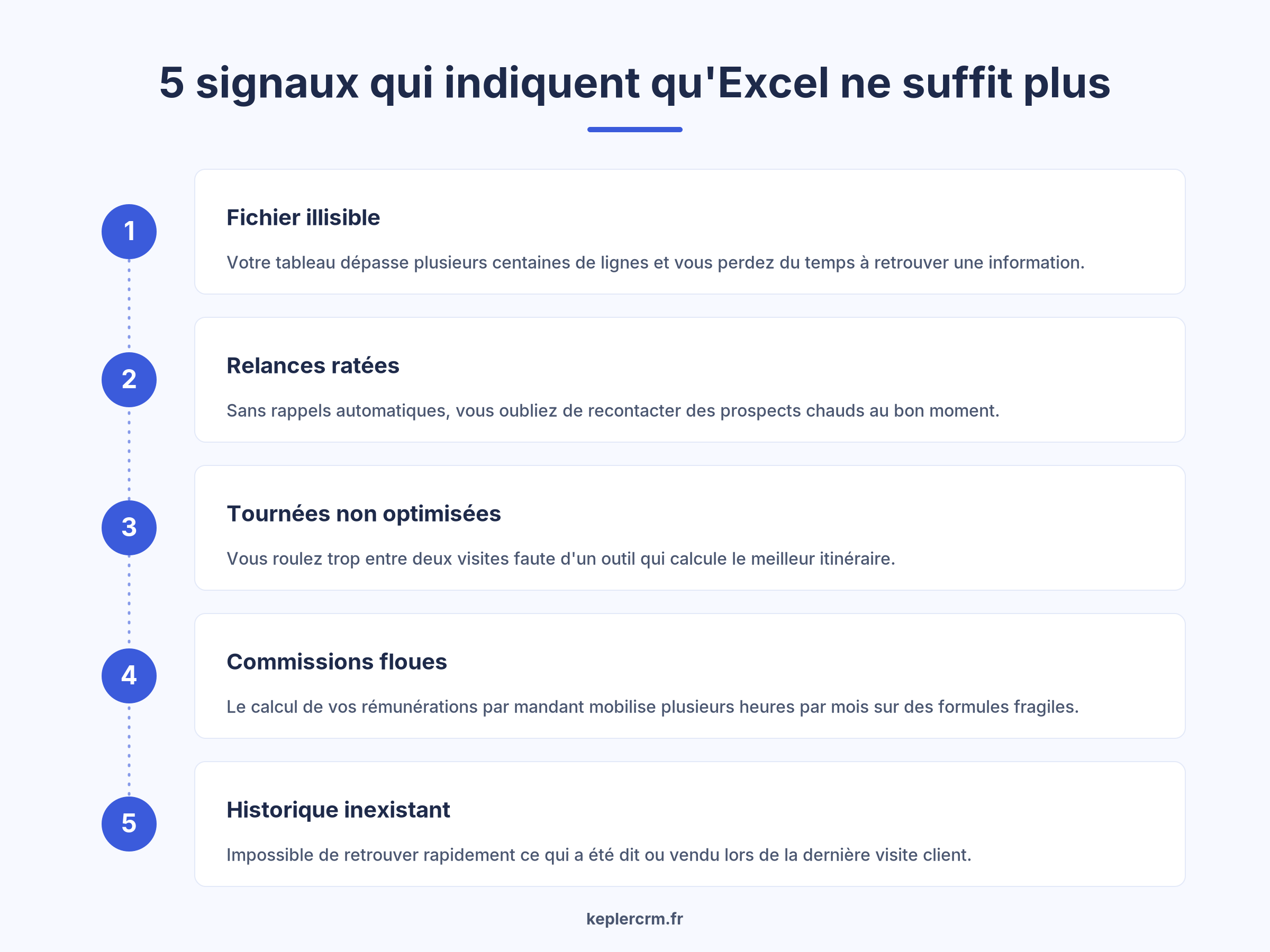
Before changing tools, you need to recognise that your current tool is holding you back. Here are the concrete warning signs to watch for:
- Your Excel file has grown to hundreds of rows and become unreadable.
- You're missing follow-ups because there are no automatic reminders.
- You can no longer remember when you last visited a particular client.
- Your sales routes aren't optimised and you're driving too many kilometres.
- Calculating your commissions by principal takes you several hours each month.
If you tick at least three of these boxes, the signal is clear: Excel has reached its limits for your business.
Step 2 — Assess the real cost of Excel
Excel isn't free: it costs you time. Three hours lost per week per sales rep amounts to more than 150 hours per year — the equivalent of several weeks of client appointments gone. Add to that the missed opportunities from lack of follow-up and data-entry errors on commissions.
Weigh that cost against the price of a specialist tool. A solution like KepleR CRM, for example, is available at €89/month excl. VAT, all inclusive. Broken down by day, that's less than €3 — the price of a coffee at a motorway service station. The return on investment becomes clear within a matter of weeks.
Step 3 — List your real requirements before choosing
Not all CRM systems are equal for a field-based sales rep. Before committing, identify your priorities:
- Sales routes and itineraries: do you need to optimise your mileage and visit each client at the right frequency?
- Portfolio management: do you manage long sales cycles with multiple principals?
- Commissions: does your tool need to calculate your earnings per principal automatically?
- Product catalogue: do you take orders in the field, with EAN scanning and range checking?
- Mobility: do you work primarily from your smartphone or tablet?
Software built for sales reps will cover these needs where a generic CRM will leave you cobbling together workarounds.
Step 4 — Test before you commit
No sales demo replaces a real field test. Choose software that offers a free trial and, if possible, a guided demonstration so you're not going in blind. Test it on your real data: import your client list, plan a sales route, log a few visit reports.
Check that the mobile version is as fully featured as the desktop version. According to LeSmakers (2025), sales rep productivity increases by 14.6% when they have access to their CRM via mobile — a figure that speaks directly to agents who spend their days in the field. This is precisely the profile for which a well-designed app, available on Android, iOS, iPadOS, macOS, and Windows, makes all the difference.
Step 5 — Migrate cleanly and adopt the tool
Migrating from Excel is often the main concern. In practice, it comes down to three actions:
- Clean your Excel file (remove duplicates, standardise fields) before importing.
- Import your contacts via CSV file or the CRM's import tool.
- Set up your sales routes, principals, and targets in the first week — without trying to do everything at once.
Consistency matters more than perfection. Log your CRM after each visit, even briefly, and the data will naturally accumulate to become your best commercial dashboard.
Measurable benefits for a field-based sales rep
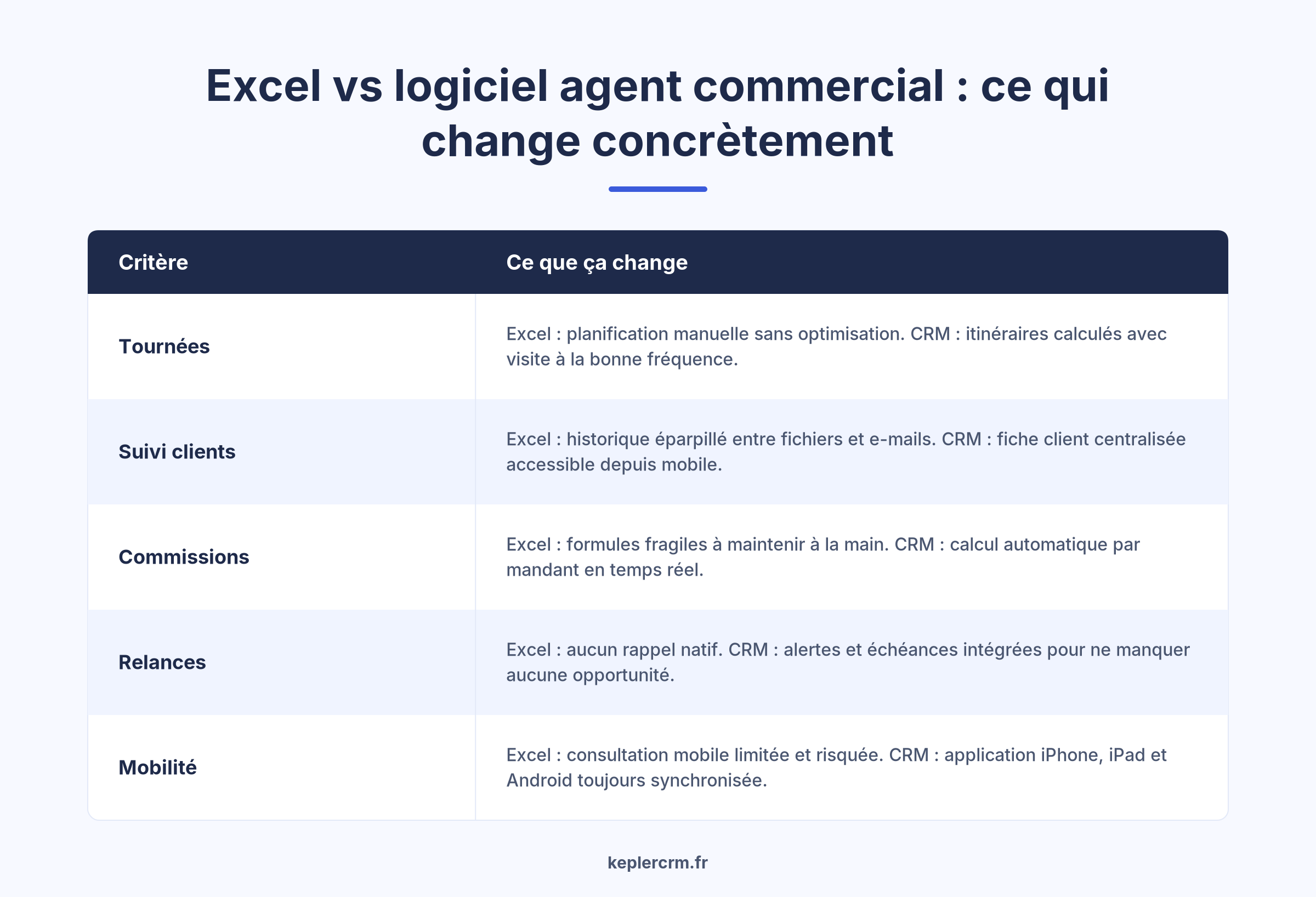
Moving from Excel to purpose-built sales rep software produces tangible, rapid results. According to our 2025 statistics, 65% of sales reps using a mobile CRM hit their sales quotas, compared to a minority of those still using non-specialist tools.
On sales routes, the native optimisation of a field CRM reduces the kilometres driven while increasing the number of productive visits per day. Less driving, more client face time: it's the most direct lever for growing your turnover. KepleR's field route-planning algorithm is one of the most powerful and most relevant available for multi-line sales agents. To explore this further, see our articles on organising your sales routes with KepleR.
On commissions, automated tracking by principal eliminates calculation errors and the hours spent on fragile Excel formulas. You know in real time what you've generated, by brand and by period, without waiting for the end-of-month statement.
Frequently asked questions
Can Excel really be enough for a sole sales rep?
For getting started with fewer than fifty clients and a single principal, Excel can serve as a stopgap. But as soon as your portfolio expands or the number of principals grows, the file becomes a source of errors and wasted time. Specialist software is more reliable from the very first year of activity.
Do you need to be tech-savvy to use a sales rep CRM?
No. CRM systems designed for field sales reps prioritise simplicity: quick post-visit entry, a clean mobile interface, and no complex configuration. A one-hour demonstration is generally enough to get to grips with the essential features.
Does my CRM work if I have no internet connection while travelling?
It depends on the solution you choose: check this point carefully before subscribing. KepleR CRM runs 100% online on Android, iOS, iPadOS, macOS, Windows, and web browser — an internet connection is therefore required to access your data and log your visit reports in real time.
Conclusion
Moving from Excel to dedicated sales rep software isn't a question of company size — it's a question of activity threshold. As soon as your client portfolio exceeds fifty active contacts, you're managing multiple principals, or your sales routes are no longer optimised, every week without a CRM costs you time and opportunities. Run the diagnosis, trial without commitment, and make your decision based on concrete data — not a gut feeling. KepleR CRM offers a free trial and a complimentary one-hour demonstration so you can judge for yourself.